Best routers to buy in 2026
Wi-Fi 7 (802.11be) is the new standard worth upgrading to. It brings Multi-Link Operation (MLO) for lower latency, 320 MHz channels for raw speed, and 4K-QAM for more data per transmission. Even if your internet plan doesn't max out a Wi-Fi 7 router today, the latency improvements alone make a noticeable difference for video calls, gaming, and general responsiveness.
We picked five routers across different price points and use cases. All are Wi-Fi 7, all are available on Amazon, and all have been reviewed by major outlets. No filler, no "also consider" padding.
1. eero Pro 7 (3-pack mesh) Best Mesh System
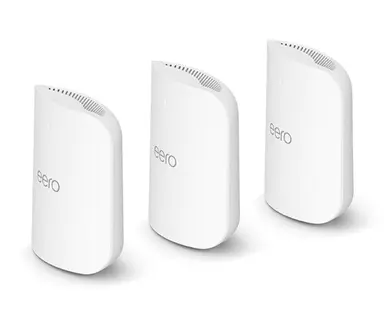
Key specs
- Tri-band Wi-Fi 7 with up to 5 Gbps support
- Built-in Zigbee/Thread smart home hub
- Covers up to 6,000 sq. ft. with 3 units
- Two auto-sensing 5 GbE ports per unit
- Supports 600+ devices
The "it just works" pick for smart homes. Zero-config mesh, automatic updates, and the Zigbee/Thread hub means fewer boxes on your shelf. Premium price, but you get a complete home networking solution that handles Wi-Fi 7, Thread, and Zigbee without needing a separate hub.
2. Netgear Nighthawk RS700S Fastest Single Router
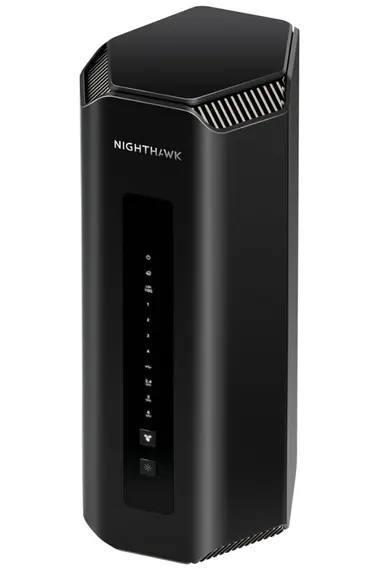
Key specs
- BE19000 tri-band Wi-Fi 7 speeds up to 19 Gbps
- 10 Gig internet WAN port for multi-gig fiber
- 320 MHz channels on 6 GHz band
- Covers up to 3,500 sq. ft.
- 1-year Netgear Armor security included
The fastest single-unit Wi-Fi 7 router you can buy. If you have 10 Gbps fiber and want one box to rule them all, this is it. The 10G WAN port is rare at this price, and the tri-band radio keeps 6 GHz free for your newest devices while 5 GHz handles the rest.
3. TP-Link Archer BE600 (BE9700) Best Value Tri-Band
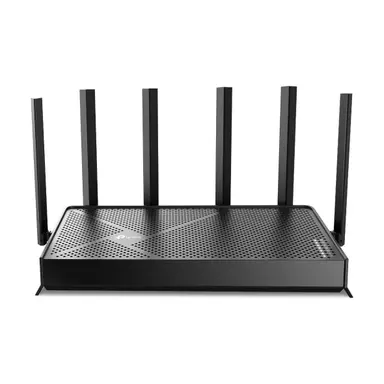
Key specs
- 10 Gbps WAN/LAN port
- Four 2.5 Gbps LAN ports
- 320 MHz channels, tri-band coverage
- Full-featured web GUI for advanced users
- EasyMesh compatible for expansion
Best single-box value if you want real ports and tinkerability. The 10G + 4x 2.5G port lineup is unmatched under $300. TP-Link's web GUI gives you full control over QoS, VPN, and firewall rules without needing an app.
4. TP-Link Archer BE230 Best Budget Pick
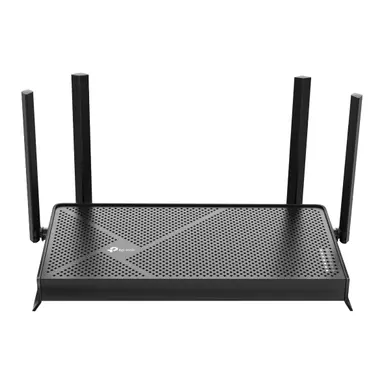
Key specs
- Two 2.5 Gbps ports (WAN + LAN)
- Built-in VPN client and server
- Wi-Fi 7 with MLO and 4K-QAM
- HomeShield security suite
- EasyMesh compatible
Top budget pick with built-in VPN tools and 2.5 Gbps internet support. Dual-band means no 6 GHz, but for a small home or apartment with a handful of devices, this delivers Wi-Fi 7 benefits (MLO, reduced latency) at a price that makes Wi-Fi 6 routers look overpriced.
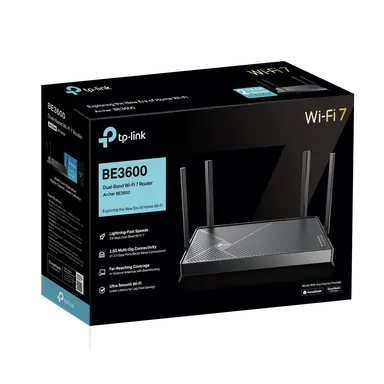
5. TP-Link Archer BE3600 Cheapest Wi-Fi 7
Key specs
- Wi-Fi 7 from $65 with MLO and 4K-QAM
- 2.5 Gbps WAN + 2.5 Gbps LAN
- 5 GHz performance surpasses 1 Gbps in testing
- Dual-band (no 6 GHz)
- EasyMesh compatible for future expansion
The cheapest way into Wi-Fi 7 without feeling cheap. Dual-band only (no 6 GHz), but 5 GHz throughput exceeds 1 Gbps in real-world tests. If your internet plan is under 1 Gbps and you want future-proof basics (MLO, 4K-QAM), this is the entry point.
Quick comparison
| Router | Price | Bands | WAN port | Best for |
|---|---|---|---|---|
| eero Pro 7 (3-pack) | ~$600 | Tri-band | 5 GbE | Whole-home mesh + smart home |
| Nighthawk RS700S | ~$550 | Tri-band | 10 GbE | Max speed, 10G fiber |
| Archer BE600 | ~$200 | Tri-band | 10 GbE | Best value with real ports |
| Archer BE230 | ~$120 | Dual-band | 2.5 GbE | Budget pick, VPN built-in |
| Archer BE3600 | $65–99 | Dual-band | 2.5 GbE | Cheapest Wi-Fi 7 entry |
How to test your connection after upgrading
A new router solves hardware problems, but ISP issues and line quality are separate. After installing your new router, use Internet Connection Monitor (ICM) to track your connection stability over a few days. ICM logs every disconnect, measures latency, and calculates availability percentages. If you still see outages after a router upgrade, the problem is likely upstream (ISP, cabling, or modem).
ICM doesn't measure connection speed (bandwidth) — it focuses on uptime, outages, and latency. A built-in speed test is an open feature request; vote for it on GitHub if you'd like to see it added.